4 New bpQuote Enhancements Released
We’re excited to share four new bpQuote updates inspired directly by your feedback. Your input continues to shape the quote engine, so please keep sharing your ideas. We’re always working to make the quoting experience better.
Update 1: New Current Plans Total Field Added to the Review Group Data Page
You’ll now see a Current Plans Total on the Review Group Data page after adding Current Plans and importing Current Rates for a group. Previously, only per‑plan totals were shown, which made it harder to verify the amounts against a group’s bill or another source.
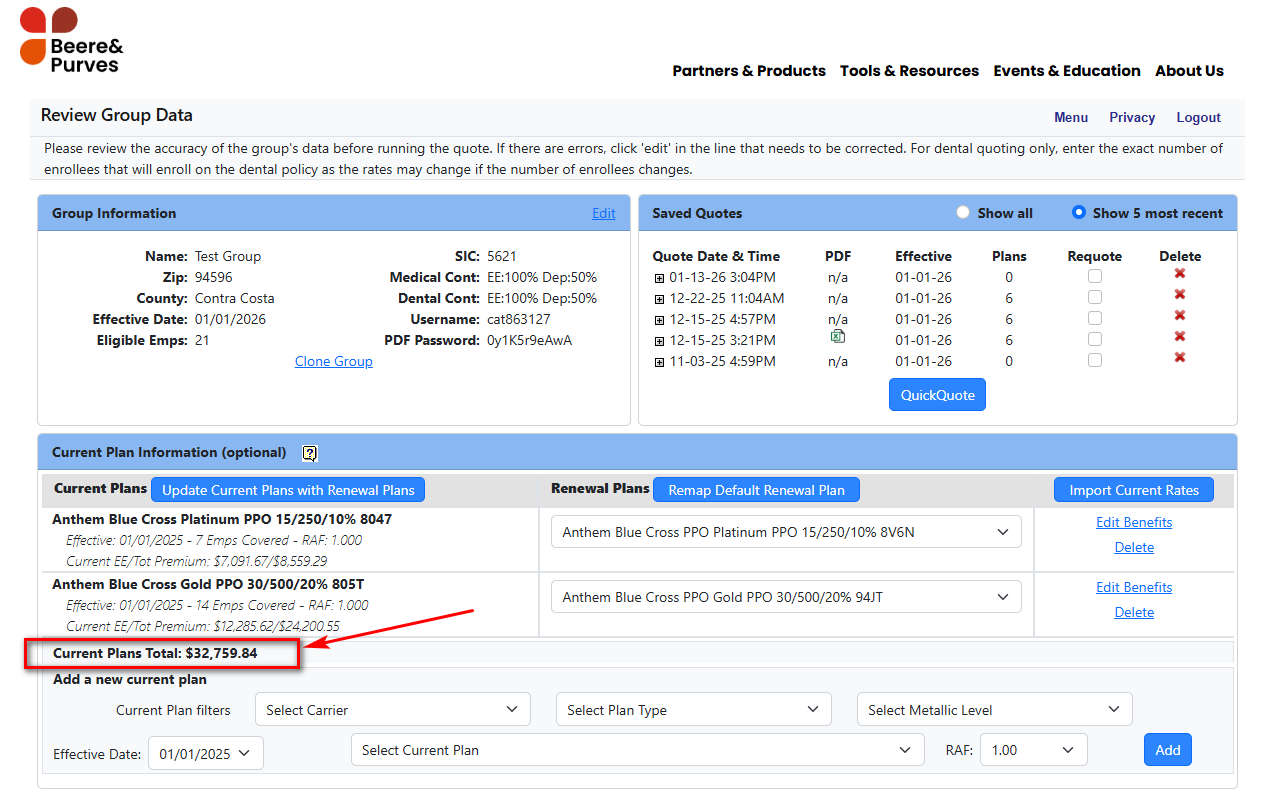
Update 2: New Renewal Plans Filter on the Medical Selection Page
You’ll now see an option to filter to Renewal Plans on the Medical Selection page, making it easy to select the renewal plans you’d like to quote without scrolling through additional plans. The renewal plans will continue to be highlighted in blue on the page.
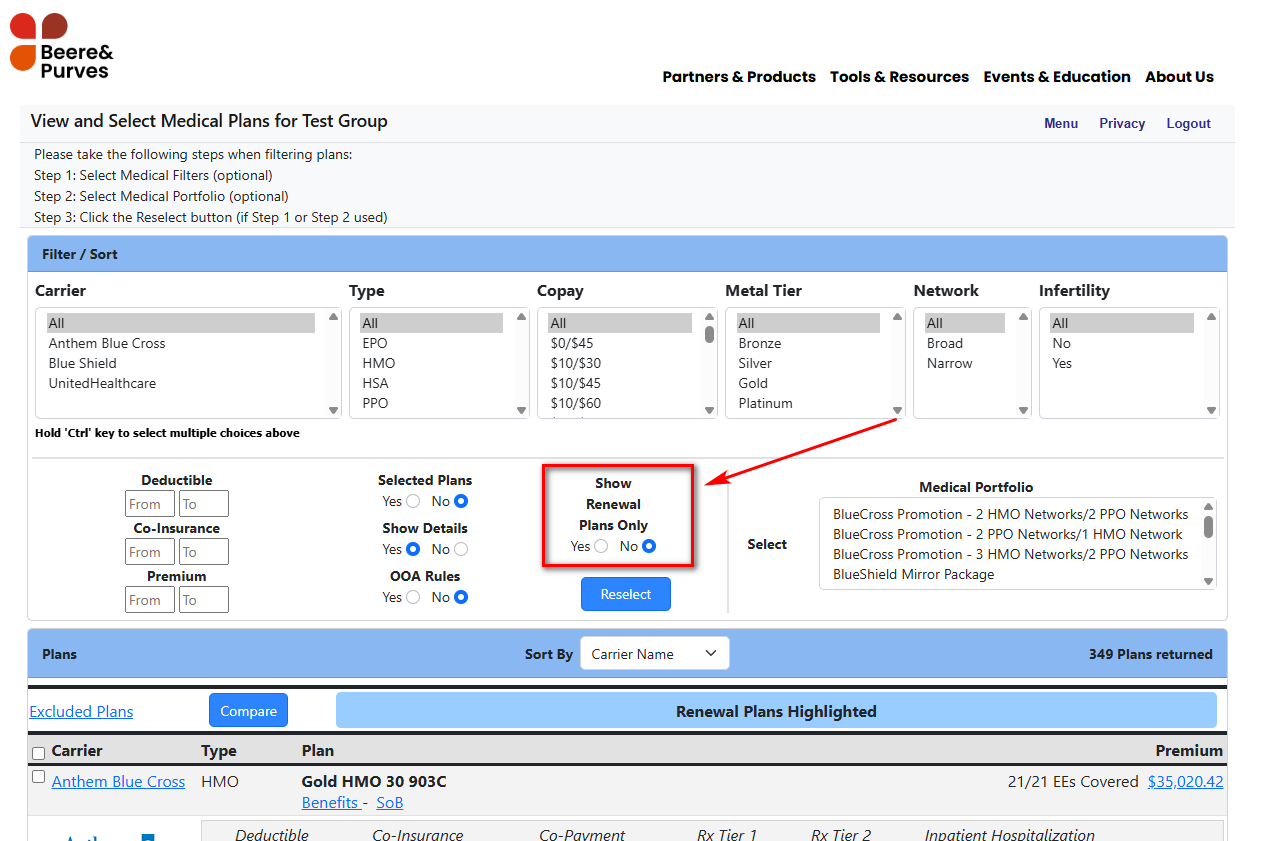
Update 3: New Format for Name, Status, and Age on the Multi-Option Horizontal Excel Report
Last month, we announced the new Multi-Option Horizontal Excel export option in bpQuote. This update improves the export format by splitting the Name, Status, and Age fields into their own columns, making it easier to manipulate data in Excel if needed. Previously, the report exported the Name, Status, and Age of an employee in a single cell which was more challenging to work with.
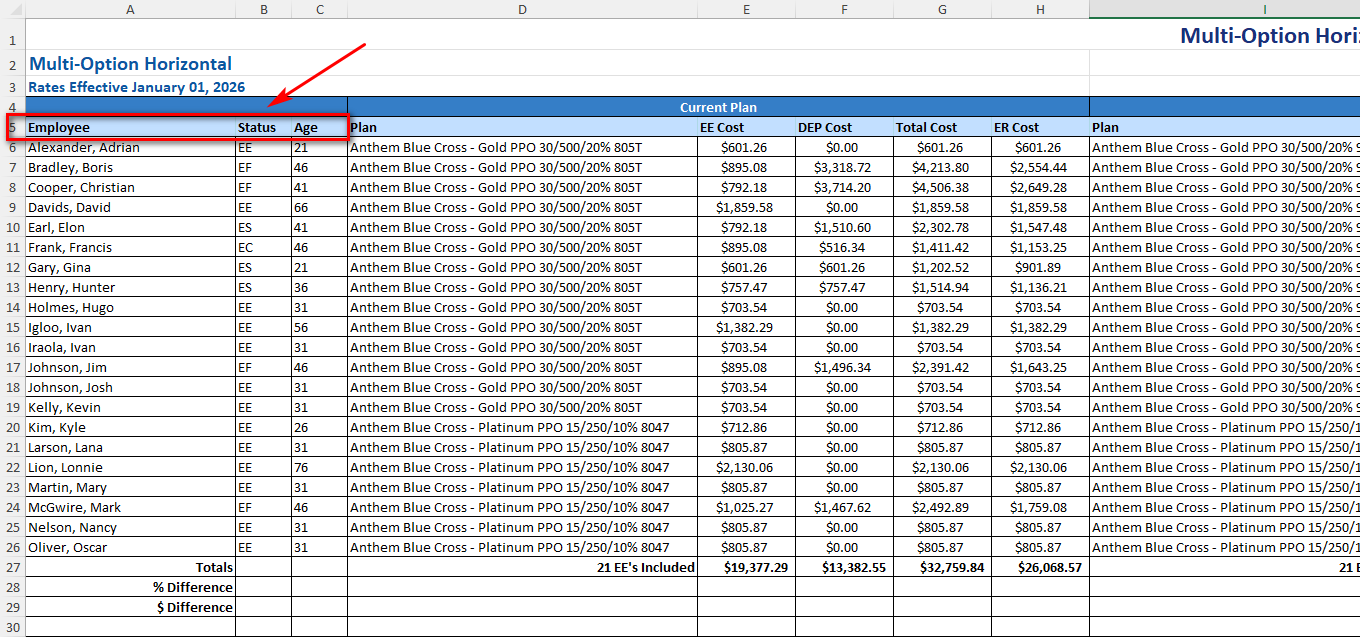
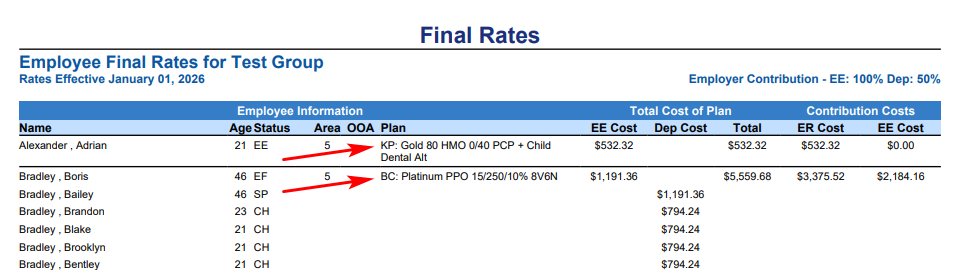
Update 4: Add Carrier Initials to Plan Names on the Final Rates Report
The Final Rates Report now includes the carrier initials next to the plan name so you can easily identify the correct carrier and plan for employees. This update is particularly helpful when selling two or more carriers together, especially if the plans names across those carriers are very similar.